
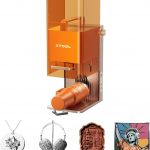
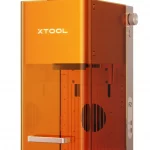



I have a habit of buying cool maker tools that end up being used far less than I expected. Over the years, I have owned a Prusa MK2 filament printer, a Creality Ender 3 filament printer, and a Creality Mars resin printer. Each one saw some use, but they also spent long stretches sitting idle. I had similar hopes for my Genmitsu 3018 Pro CNC router, which I used once to test the setup. My latest purchase, though, feels different: the xTool F2 laser engraver has been easy enough to use that I can see it becoming a regular part of my shop workflow.
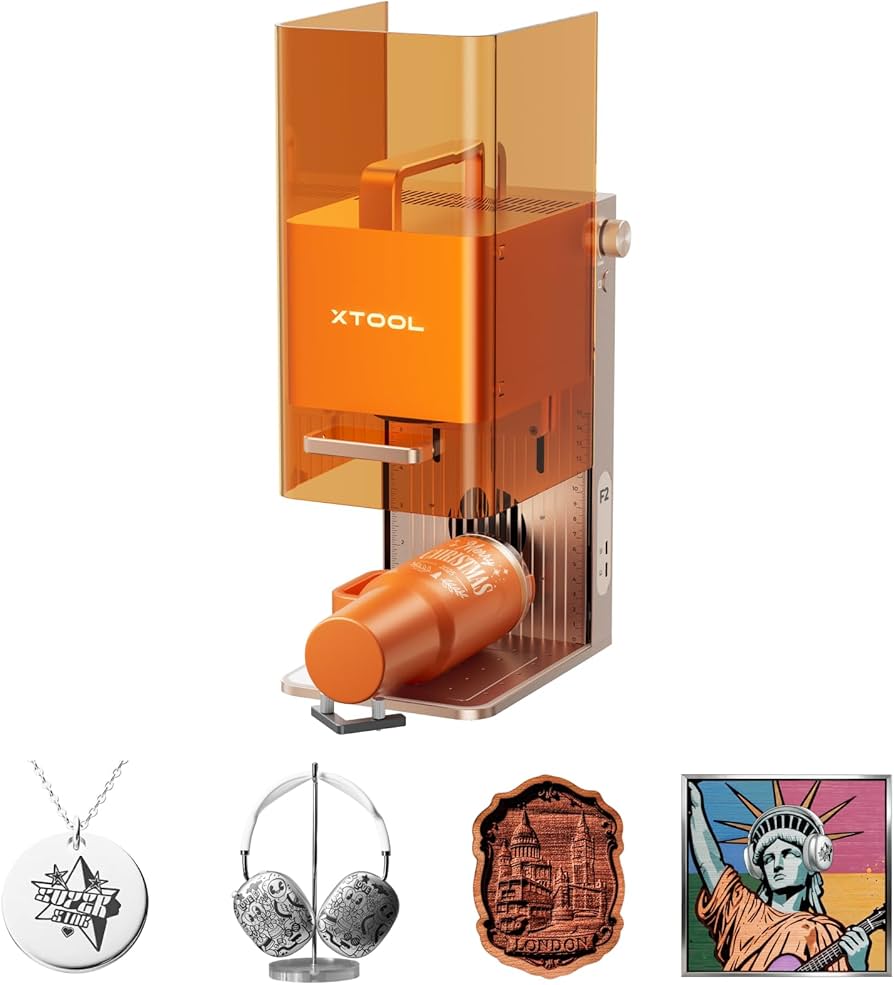
Why the F2? Defining the “Need”
To be clear, I “need” a laser engraver about as much as I need a bucket with a hole in it. But once I started researching options, I realized I wanted more than a bargain-basement machine that would frustrate me into leaving it unused. I initially looked at laser engravers in the $200 to $300 range, but after talking with other makers and remembering my own frustrations with 3D printers and CNC machines, I created a short list of requirements.
The machine needed to offer:
- A proven history of reliability and a well-supported product line
- The ability to engrave wood and cut material up to ¼ inch with a few passes
- Multi-material engraving, plus enough power to cut wood
- Portability for moving between shops, craft fairs, and client sites
- The flexibility to engrave while positioned vertically, sideways, or at odd angles on tables and other objects
- A ready-to-run experience with a minimal learning curve
- Readily available support, preferably from a U.S.-based team
I watched the pricing closely and hoped to stay in the $1,000 to $1,200 range. I did find machines around that price, but many reviews raised concerns about portability, reliability, or power. While I was still comparing options, xTool released the F2. It looked like a strong match for what I wanted, so I decided to raise the budget and give it a try.
In the end, the decision came down to the xTool F2 or several options from LaserPecker. The deciding factor for me was that xTool appeared to offer a higher-quality product and stronger support, while the F2 could also be tilted in different directions and still engrave. That flexibility mattered. The newer WeCreate options were not available when I made my purchase, so they were not part of my original comparison.
Immediate Impressions
The F2 worked right out of the box and was easier to use than I expected. I had it running and producing my first engravings within a few minutes. I was also able to use the RA3 Rotary Attachment and the Slide Extension almost immediately, without the kind of setup drama I have experienced with other tools.
A few things stood out as I started using it:
- xTool Studio is still a work in progress, but it is improving quickly and appears to be a major part of xTool’s strategy for making laser engraving more approachable. I wrote more about that here: https://themakershive.org/a-brand-strategy-xtool-studio/
- The default built-in material settings work surprisingly well.
- General plywood and MDF can be difficult to cut cleanly, so it is best to use plywood made specifically for laser cutting.
- A soldering fume extractor under $90 has worked well for me as a practical air-cleaning solution.
- The F2 is designed to be portable, but it deserves something better than a cardboard box. A RIDGID 25-inch rolling cart and mobile cart box have been a great fit for transporting and storing it.
Recommended for Portability
I have no reservations recommending the xTool F2 to creators who want a portable laser engraving solution. It is not the cheapest option, and it may not replace a larger shop-based laser for every use case. But as a compact, approachable, take-it-with-you machine, it delivers exactly what I was hoping for: fast setup, reliable results, and enough flexibility to make it useful for demonstrations, craft fairs, client visits, and small-batch projects.
For The Makers Hive, that portability opens up another opportunity as well: helping people see the tool in action before they buy. If you are thinking about purchasing a laser engraver, a hands-on demo can quickly show whether a portable machine like the F2 fits the kind of projects you want to make.
Bottom line: The xTool F2 feels like the first “cool gadget” in my shop that may avoid becoming another shelf ornament. It is easy to start with, simple to move, and practical enough that I expect to keep finding reasons to use it.
As of July 13, 2026, the current xTool Creative Suite mobile app does not yet deliver the level of utility needed to fully support the xTool product line or create meaningful competitive differentiation. The app provides basic functionality, but it does not yet take full advantage of what a mobile device can offer.
I expect future versions of the app to move closer to feature parity with the desktop version of xTool Creative Suite and to support the full range of xTool engravers and printers. But feature parity should not be the only goal. xTool has an opportunity to take a true mobile-first approach: one that focuses on the situations where mobile devices are not just convenient, but genuinely better suited to the work.
Core Mobile Use Case Requirements
- Output queuing, so users can create and edit one job while another job is running.
- Reliable on-device job timing, status updates, and notifications.
- Workflow options that allow one person to design and send jobs to an output queue while another person controls production from the app.
- Operation without a stable internet connection, using a local WAN or LAN when internet access is unreliable or provided through mobile device sharing.
- Easy access to a creator’s template library stored locally on a device.
Sample Use Cases
Today, many creators rely on a small laptop, I use a Microsoft Surface Pro, to manage output near the device. That approach works, but it keeps the creator physically tied to the production area and requires a larger setup than many mobile selling environments allow. The portability of the xTool F2 creates a different opportunity: a lightweight workflow where design, customization, queue management, and production control can happen from a tablet or phone.
Craft and Novelty Fairs
Craft fairs already include many booths selling laser-cut and engraved products. More recently, there has been visible growth in real-time, in-booth customization of stock or customer-selected items. That trend points to a significant opportunity for xTool: support creators with a mobile toolset that makes it easy to produce fast, high-quality customized goods in front of customers.
Storefronts and Galleries
In storefronts and galleries, owners and staff need a simple interface they can use while standing or walking with a customer. The ideal experience does not require a design desk, a register counter, or an employee stationed next to the machine. It should support a refined walk-around sales process where a staff member can discuss options, personalize an item, and increase the sale’s value with minimal technical friction.
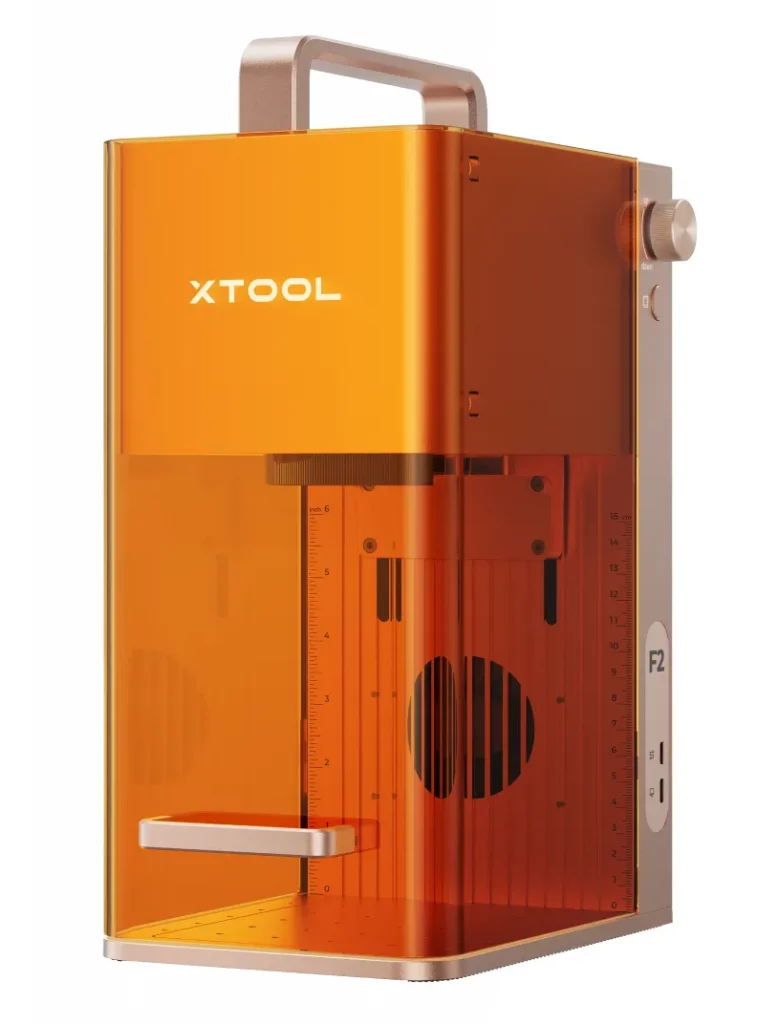
Branded giveaways are a familiar way to attract booth traffic, start conversations, and reinforce brand awareness. With the xTool F2, an exhibitor could do more than personalize swag at a booth. A team member could move through the event, talk with prospects, and initiate a customized item during a session break, lunch, or informal conversation.
That workflow creates a better lead experience. While the item is being produced, the conversation can continue and the lead can be qualified. When the prospect comes to the booth to pick up the finished item, the right sales team member can be ready to continue the discussion. Prospects who arrive directly at the booth can also be encouraged to spend more time with the team while they wait, or they can return at a scheduled pickup time.
Consumer Events
Fan expos, comic conventions, trading card shows, home shows, and other consumer events are well suited to portable, fast, on-site customization. Small sellers can use the xTool F2 to personalize products in settings where space is limited and customer interaction matters. A tablet-optimized XCS app could give sellers quick access to a prepared template library, support rapid customization, and reduce the need for cables or a fixed workstation next to the hardware.
xTool as the Easy-to-Use Platform for Real-Time Customization
The current environment may be enough for early adopters and technically confident users. A stronger mobile platform could open the door to a much larger group of non-technical makers, crafters, and small sellers.
The growth of the xTool product line, including the M2 and future portable systems, suggests a broader opportunity. If xTool pairs improved mobile software with focused support for business-to-consumer customization workflows, it can become the preferred platform for portable promotional commerce.
Disclosure
I have just joined the xTool Squad to offer demonstrations, training and potentially sales of the xTool F2 and other xTool products.


Leave a Reply